Every iPhone has a fingerprint. Can one photo give you away?
A photo can point to the phone that took it: yours, not just any iPhone like it. Every sensor leaves a faint pattern of its own, and your other photos reveal it.
Details
- Published
- Reading time
- Long read · 16 min
- Code
- GitHub ↗
The short version
Hypothesis. Every camera has its own fingerprint. No two sensors are made exactly alike: some pixels catch a little more light than others, and that pattern stays the same in every photo. If I can measure it, a photo can name the phone that took it.
Method. Take a photo’s noise: the photo minus a cleaned copy of itself. Average the noise of several photos from one phone. The random part cancels, and the phone’s fingerprint is left. To test a new photo, compare its noise with each fingerprint and pick the best match. The method reads only the pixels, never the metadata. You can try each step in the post on your own photos.
Result. It works. From the iPhone 5s to the 14 Pro, one photo put the right phone first among 15 phones in 52 to 84% of tests. From the iPhone 16 on, Apple’s processing adds a pattern that every phone shares, so one photo is often not enough. Five photos and one extra step find the right phone again, 77% of the time for a typical model.
Part 01
The idea
The noise follows the phone
No two camera sensors are made exactly alike. Some pixels catch a little more light than their neighbours, and they keep doing so for the life of the sensor. Call K the map of these differences. Forensics calls it the photo-response non-uniformity, or PRNU. If K is the same in every photo from one phone, and different in every other phone, it is a fingerprint of the sensor. That is the hypothesis of this post.
The scene changes from photo to photo, but K stays. So remove the scene and keep only the noise. Two photos from one sensor should then rise and fall together, pixel by pixel. Photos from two sensors should not, even of the same scene. Here is that test on four simulated photos.
Same phone: the noise lines up. Different phones: it does not.
Two simulated phones each photograph two scenes. Pick any two photos, or use a button. If the noise of the marked spot lines up along the diagonal, one phone took both.
Scene 1
Scene 2
Noise of the spot
Each dot: one pixel
Phone A
Phone B
 1
1 2
2Same phone, different scenes. The spot's brightness is 116 and 102. The noise lines up: r = 0.75.
Phone A’s two scenes differ in brightness, yet their noise lines up along the diagonal. Phone B on the same wall does not line up at all. So the noise follows the phone. The Pearson correlation r over all pixels measures it: 0 means no relation, and 1 means the same pattern.
In real photos, the pattern is far fainter than in this simulation. Two real photos from one iPhone 11 give a median r of 0.0004, and photos from two iPhone 11s give 0.0001. So one photo is not enough. The method digs the pattern out of many.
Part 02
The method
Taking the noise out
The method has three steps. First, take the noise out of each photo. Second, average the noise of many photos into a fingerprint. Third, score a new photo against each fingerprint.
The first step needs a denoiser: a filter that makes a cleaned copy of the photo, without its fine grain. Subtract the copy from the photo, and what is left is the noise. Drag the slider to see each part.
A photo is a cleaned copy plus its noise
Drag the slider. On the left, the filter removes the fine grain. On the right is what it removed: the noise. The rest of the method works on the noise.
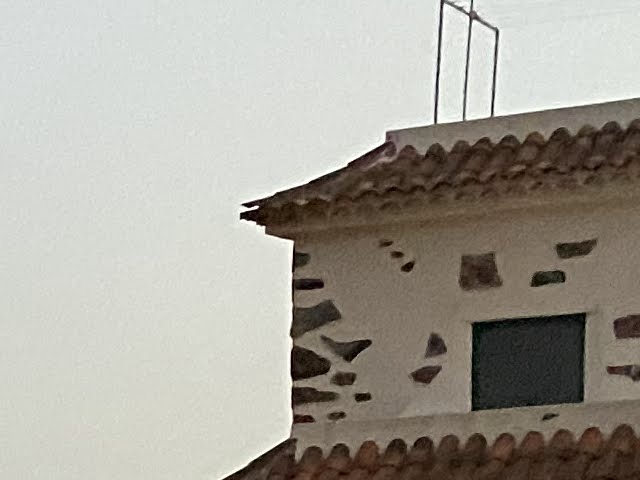
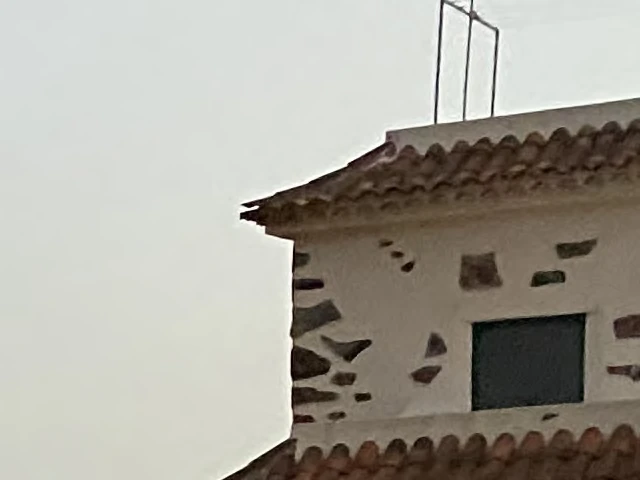
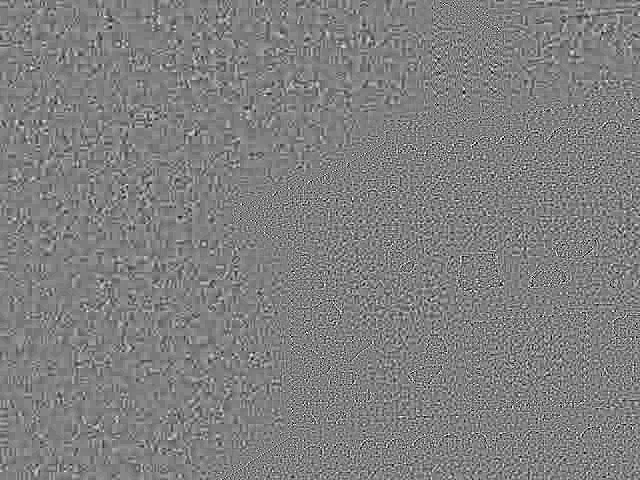
cleaned copy = photo − noisephoto = cleaned copy + noisenoise = photo − cleaned copy
Look at the sky. In the photo it is grainy. In the cleaned copy it is smooth, and in the noise it is all grain, in small square blocks left by JPEG compression. Edges leak into the noise too, as thin outlines around the window and the stones.
That leak is the hard part. A denoiser must remove the grain and nothing else. If it leaves grain in the cleaned copy, the fingerprint loses part of its pattern. If it takes edges out with the grain, the scene leaks into the noise and buries the pattern.
I used two denoisers, 15 years apart, and they gave the same results. The classic one is the wavelet filter from the first camera-fingerprint paper (Lukáš, Fridrich and Goljan, 2006). The modern one is DRUNet, a neural network trained to remove noise (Zhang and others, 2021). The figures use the wavelet filter, because its rule fits in a few sentences.
A wavelet transform splits a photo into layers of detail. One layer is a small, coarse copy. Each of the others holds edges of one size and one direction: horizontal, vertical or diagonal. Grain and edges look different in these layers. Grain is fine and everywhere, so it fills the finest layers with small values. A real edge is large, and it shows in every layer at the same place.
The denoiser sorts detail into scene and noise, band by band
The filter splits the photo into layers of detail. Then it decides, detail by detail, what is scene and what is noise. Drag σ to move that line.
A crop, 256 × 256 pixels
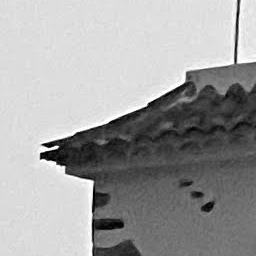
Its wavelet bands
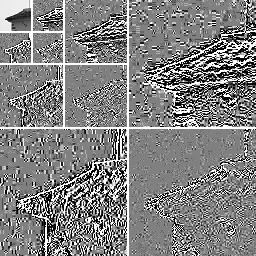
Top left: a coarse copy. Around it, three sizes of detail, finest at the outside, each as horizontal, vertical and diagonal edges. Grain fills the finest bands. Real edges show in every band.
The rule
Share of a detail sent to the noise. Left of the dashed line, σ, all of it.
The noise it leaves
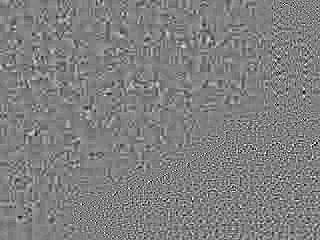
σ = 5, as in the experiments: the noise holds 2.3 levels of 255.
So the filter asks one question of each detail: is it bigger than grain? It measures the spread of the details in a small window around it and compares it with σ, the noise level it expects. If the spread is about σ or less, the detail is grain, and all of it goes to the noise. If the spread is larger, the detail is mostly scene. Only the share σ² / spread² goes to the noise. The filter keeps the edges and hands the grain to the noise.
Drag σ. Too low, and grain stays in the cleaned copy. Too high, and the roof edge and its tiles leak into the noise. The experiments used σ = 5 on the 0 to 255 scale. Audio noise reduction works the same way: it turns down each frequency band in proportion to how much of it is hiss. DRUNet makes the same decision without a fixed rule. It learned what grain looks like from photos with noise added on purpose.
You can run a simpler version of this filter on your own photos, in your browser. The tool shows each photo’s cleaned copy and noise. It also averages the noise of all your photos, which is the next step.
Your photos, your noise
Drop in photos from one phone, ten or more if you can, or try the sample photos. The last panel shows the average noise of all of them.
Until you add photos, the panels show an example.
Photo, centre at full size
ExampleCleaned copy
ExampleNoise
ExampleAverage noise of all photos
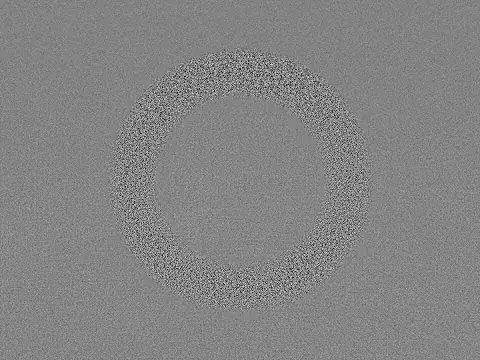 Example
At first, the tool plants the same faint ring in every photo. Add ten or more photos, and the ring comes out of their average noise. Switch it off to see your phone’s real noise. The tool runs in this page and uploads nothing.
From noise to fingerprint
The noise of one photo holds the sensor’s pattern, but it is mostly fresh noise. The sensor’s part is the same in every photo. So the second step averages the noise of many photos. The fresh part cancels, and the fixed part adds up. Over N photos the fresh part shrinks as 1/√N, so four times the photos halve it. The result is the phone’s fingerprint.
To make it visible, I planted the same faint ring in 40 public photos. Press Play, or add the photos one at a time.
Add photos, and the fresh noise cancels while the pattern stays
Every photo hides the same faint ring in its noise. Press Play or drag the slider, and watch the ring appear in the average. Shuffle to add the same photos in a new order. Tap an image to see it large.
Match of the average with the ringDrag along the curve to add or remove photos
r = 0.28after 1 photo
Photo 1
Its noise
Average of 1
Photos in the average
Look at the noise of each photo as it goes in: the ring never shows in it. It is buried under the grain. After one photo, the average is plain static too. Around ten photos, a ring starts to show. By forty it is clear: the match with the planted ring climbs from 0.28 to 0.82. A real fingerprint has no shape, which is why I drew a ring. It looks like plain static. It shows only when you compare millions of pixels at once, and that is what the score does.
The third step is the test. To decide whether a photo matches a fingerprint, I compare the photo’s noise with the pattern it should carry: its brightness times the fingerprint. Forensic labs score this with PCE, short for peak-to-correlation energy (Chen and others, 2008). A score above about 60 usually means the same phone (Goljan and others, 2009).
Under the hood · The method in formulas · 2 min
The standard model (Chen and others, 2008) writes a photo as the scene seen through the pixel gains , plus fresh noise :
K and the intrinsics. Camera calibration measures another map, the intrinsics: focal length, image centre and lens distortion. They describe geometry with a handful of numbers, close to equal across phones of one model. has one value per pixel, and it differs from phone to phone.
Noise. Subtract the denoiser’s cleaned copy . What is left is the pattern times the brightness, plus everything else, :
Denoiser. The filter uses Daubechies wavelets (db4) over four levels. A Gaussian pyramid keeps blurred copies of a photo, and a Laplacian pyramid keeps the detail between them. A wavelet transform is close to the Laplacian one. It also splits each scale by direction, and it stores no extra numbers, so it reverses exactly.
The filter decides each detail on its own. It takes the mean of in windows of 3 to 9 pixels and keeps the smallest. From it, it estimates the scene’s share and hands the rest to the noise:
Fingerprint. Bright photos carry more of the pattern, so the estimate weights each photo by its brightness:
Score. Correlate a new photo’s noise with the pattern it should carry, , shifted by every . Here is the Pearson correlation from Part 1. PCE compares the peak at with the rest:
holds every shift outside a small window around the peak. Unrelated noise has no peak, so its PCE stays near 1.
Part 03
The results
Fifteen phones, one photo
With the method in place, I ran it at scale. For each of 28 iPhone models, I built line-ups of 15 phones from public photos. A phone here is one photographer’s account with at least 6 photos on 2 days. Each phone was known from five photos. Then I asked which phone took a new photo.
A blind guess is right 7% of the time. From the 5s to the 14 Pro, the right phone came first 52 to 84% of the time from one photo. With five new photos, it came first 70 to 100% of the time. Extra photos help on both sides: in the fingerprint and in the test.
Newer phones are harder. The 15 family drops to 43 to 49%. From the 16 on, the median is 39%, and the iPhone 17 sits at 9%.
Older iPhones are easier to trace
How often one new photo put the right phone first, among 15 phones of the same model.
iPhone 5s to 14 Pro · 14 models · median 77%
iPhone 15 family · 3 models · median 43%
iPhone 16 and later · 11 models · median 39%
All 28 models
| Model | 1 new photo | 95% interval | 5 new photos |
|---|---|---|---|
| iPhone 5s | 73% | 52 to 87 | 81% |
| iPhone 6 | 74% | 56 to 89 | 79% |
| iPhone 6s | 70% | 42 to 88 | 81% |
| iPhone SE (2016) | 82% | 64 to 100 | 95% |
| iPhone 7 | 64% | 39 to 93 | 70% |
| iPhone 8 | 81% | 59 to 97 | 80% |
| iPhone X | 75% | 57 to 94 | 84% |
| iPhone XR | 78% | 62 to 92 | 91% |
| iPhone 11 | 52% | 29 to 70 | 81% |
| iPhone 11 Pro | 68% | 49 to 84 | 88% |
| iPhone 12 | 78% | 58 to 92 | 94% |
| iPhone 13 | 79% | 62 to 96 | 98% |
| iPhone 14 | 82% | 61 to 95 | 94% |
| iPhone 14 Pro | 84% | 69 to 96 | 100% |
| iPhone 15 | 43% | 27 to 61 | 73% |
| iPhone 15 Pro | 43% | 29 to 58 | 71% |
| iPhone 15 Pro Max | 49% | 29 to 67 | 73% |
| iPhone 16 | 36% | 22 to 57 | 54% |
| iPhone 16 Plus | 40% | 21 to 62 | – |
| iPhone 16 Pro | 39% | 22 to 50 | 60% |
| iPhone 16 Pro Max | 42% | 20 to 67 | 37% |
| iPhone 16e | 64% | 54 to 81 | – |
| iPhone 17 | 9% | 0 to 27 | – |
| iPhone 17 Pro | 30% | 4 to 56 | – |
| iPhone 17 Pro Max | 40% | 22 to 59 | – |
| iPhone Air | 22% | 10 to 38 | 17% |
| iPhone 17e | 72% | 45 to 89 | 87% |
| iPhone 18 Pro | 35% | 19 to 56 | – |
The success rate falls as photos get bigger and phones get newer. Those two move together, so the chart cannot say which one matters. One cause I could isolate is a pattern that appears from the iPhone 16 on. Part 4 is about it.
Good photos hold more
The line-ups used originals. Most photos that people share are copies: shrunk, compressed or both. How many photos you need depends on how much of the pattern each one still holds. A sensor’s pattern grows with the light, so dark photos hold less of it. The pattern also lives in the finest grain, and strong compression removes that grain first.
Shrinking a photo costs little. Hard compression costs the most.
How often the right phone came first among 15, when every photo is re-saved the same way.
Shrink it
Save it as JPEG
Send it by messenger
At most 1 point
Loses 13 points
Loses 18 points
Shrinking a whole photo costs little, because the rest of the frame makes up for the lost detail. A messenger app shrinks the photo and compresses it hard, and that costs the most. Flickr’s 2,048-pixel copies hold about half the pattern of an original, so they need about twice as many photos.
Under the hood · What shrinking and compression remove · 2 min
A pattern can be coarse or fine, like gravel or sand. Its grain size decides what survives when a photo is shrunk or compressed. Shrinking keeps only grain coarser than a cut-off. A 2,048-pixel copy of a 24-megapixel photo keeps grain coarser than 0.18 cycles per pixel: about one ripple every 6 pixels. A sensor’s own pattern spreads over all grain sizes, and close to half of it is coarse enough to survive the copy.
JPEG compression works differently. It cuts the image into 8 × 8 blocks and stores each block as a sum of waves, from coarse to fine. Lower quality rounds off the fine waves first, and the finest grain goes with them. Try it on a real crop.
Compression removes the finest grain first
Lower the JPEG quality and watch the noise. Below about 50, the fine grain turns into flat 8 × 8 blocks.
Re-saved photo
Its noise
- File size
- –
- Noise kept
- –
Open this block to run it.
At quality 80 and above, the noise barely changes. Below about 50, the grain turns into flat 8 × 8 blocks, and the noise keeps less and less of what it had. That is the loss the chart above measures.
Part 04
Newer iPhones
The iPhone 16 changed it
Then something odd showed up in the newest models. Take two groups of strangers who own the same model. Average the noise of each group’s photos, and compare the two averages with PCE, the score from Part 2. The groups hold different phones, so the score should stay low.
Up to the iPhone 15, it does: no model scores above 130. From the iPhone 16 on, every model scores at least 28 times higher. Even single photos from strangers pass the usual threshold of 60: 90 to 100% of them. So a stranger’s photo can pass for yours.
From the iPhone 16 on, strangers' photos match each other
How the score works, then the score for each model. Different phones should score low. Log scale.
Two groups of strangers own the same model. The noise of each group's photos is averaged, and the two averages are compared with one match score.
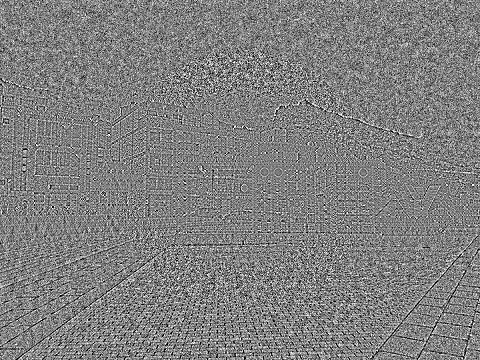
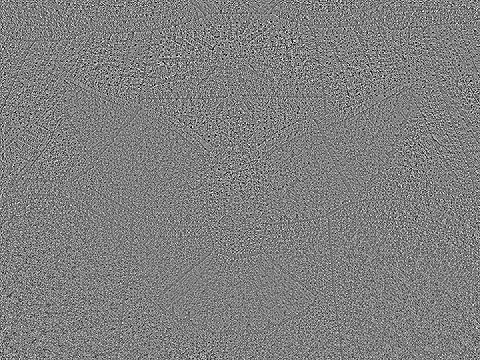


Both groups own the same model, but not the same phones.
iPhone 5s to 15 Pro Max · 22 models · 0 to 129
iPhone 16 to 18 Pro Max · 12 models · 3,619 to 55,033
All 34 models
| Model | PCE between strangers |
|---|---|
| iPhone 5s | 23 |
| iPhone 6 | 86 |
| iPhone 6 Plus | 66 |
| iPhone 6s | 46 |
| iPhone SE (2020) | 3 |
| iPhone 7 | 26 |
| iPhone 8 | 26 |
| iPhone X | 14 |
| iPhone XS | 4 |
| iPhone XR | 8 |
| iPhone 11 | 2 |
| iPhone 11 Pro | 0 |
| iPhone 12 | 7 |
| iPhone 12 Pro | 3 |
| iPhone 13 | 1 |
| iPhone 13 Pro | 15 |
| iPhone 14 | 4 |
| iPhone 14 Pro | 10 |
| iPhone 15 | 43 |
| iPhone 15 Plus | 65 |
| iPhone 15 Pro | 129 |
| iPhone 15 Pro Max | 124 |
| iPhone 16 | 10,314 |
| iPhone 16 Plus | 15,281 |
| iPhone 16 Pro | 16,457 |
| iPhone 16 Pro Max | 13,790 |
| iPhone 16e | 3,619 |
| iPhone 17 | 55,033 |
| iPhone 17 Pro | 27,531 |
| iPhone 17 Pro Max | 53,094 |
| iPhone Air | 50,411 |
| iPhone 17e | 14,564 |
| iPhone 18 Pro | 50,089 |
| iPhone 18 Pro Max | 34,239 |
It is one pattern, shared by models with different sensors and lenses. The sensors differ and the pattern does not, so it most likely comes from Apple’s processing. Apple does not document it.
What RAW shows
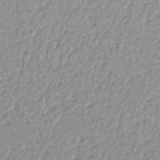
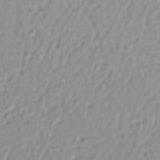
If Apple’s processing adds the shared pattern, the pattern should be missing before that processing. A RAW photo keeps the sensor’s own numbers. So I photographed a plain wall with my iPhone 16 Pro Max in three ways: a normal HEIC (the iPhone’s usual photo format) from Apple’s Camera app, a RAW from Halide (a third-party camera app), and Halide’s own HEIC, which skips Apple’s processing. I did the same with a second iPhone 16 Pro Max from my home. Its fingerprint should not match mine.
Without Apple's processing, each phone keeps its own fingerprint
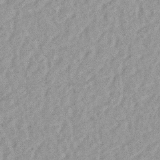
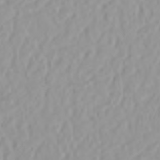
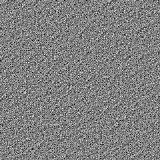
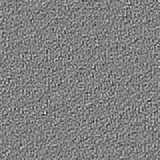
The same wall from my iPhone 16 Pro Max, as RAW and as Apple's HEIC. Drag to the noise: Apple's processing smooths the grain into blobs. The scores below compare three formats.
RAW
Apple’s HEIC
cleaned copy = photo − noisephoto = cleaned copy + noisenoise = photo − cleaned copy
Apple HEICApple's Camera app
Yesscore 9,234
Halide HEICHalide, without Apple's processing
Noscore 0.8
RAWthe sensor's own numbers
Noscore 0.5
Even the noise looks different. In RAW, each pixel has its own grain. In Apple’s HEIC, neighbouring pixels share their grain. The scores show what that does. In RAW and in Halide’s HEIC, the second phone does not match mine at all. In Apple’s HEIC, it matches at 9,234, which is higher than my own phone against itself. So the shared pattern is added by Apple’s processing. The sensors underneath stay distinct.
That makes RAW a better reference. I built fingerprints from the wall frames in each format, then looked for my phone among 458 of my everyday photos and 229 strangers’ photos of the same model. With the RAW reference, 90% of my photos score above every stranger. With the reference from Apple’s HEIC, only 23% do: it carries the shared pattern too, so a typical stranger scores 355 against it, far above the usual threshold of 60.
The phone’s own pattern survives Apple’s processing. Fingerprints of my phone from RAW and from Apple’s HEIC match each other at 7,521. Public data agrees: in the iRAW dataset, ProRAW frames (Apple’s RAW format) of a plain scene put the right phone first for 265 of 266 photos. A blind guess would be right one time in four. So the fingerprint is still in every photo, under the shared pattern. The last question is how to reach it.
The fingerprint is still there
Most photos are not RAW, and you rarely have frames of a plain wall from the phone. For ordinary photos, two steps uncover the fingerprint. First, estimate the shared pattern from many strangers and subtract it. Second, score a photo against the other phones in the line-up, as well as against a fixed threshold.
With both steps and five photos, the right phone came first 55 to 97% of the time. That covers nine models from the 16 to the 18, with a median of 77%, measured on Flickr copies of the photos.
Part 05
Conclusions
What it means
Naming a phone from its photos is old news in forensics. It takes photos known to come from that phone, and the closer they are to the originals, the better. What surprised me is the iPhone 16. From that model on, Apple’s processing adds a pattern that every phone shares, and the standard method takes it for a match. A careful method, or a RAW reference, still finds each phone’s own fingerprint.
Is that pattern a privacy feature, a look, or a side effect of processing? Apple has not said. If you know, write to me.
Limits
A “phone” here is one photographer’s account. Some people use two phones, and a few accounts share one. Models also differ in photo size, age and where their photos come from, all at once. So the trends by model describe what I saw. They do not explain it.
That Apple’s processing adds the shared pattern rests on RAW tests of two phones of one model, plus the public iRAW data. I did not measure it inside the phone. Portrait-mode photos can match the wrong phone, so I left them out.
Method and sources
Public camera-forensics sets, such as Dresden (Gloe and Böhme, 2010) and VISION (Shullani and others, 2017), hold few recent iPhones. So to test the idea, I collected 400K+ photos from Flickr and added two public sources, Wikimedia Commons and LAION-Mobile. I kept only unedited originals: 14,891 photos of 30 iPhone models. For the 15 to the 18, I also used Flickr copies of the photos. All of them appear here only as numbers.
A phone is one photographer with at least 6 photos on 2 days. A line-up has 15 phones of one model. Each phone gives 5 photos to build its fingerprint, and 1 or 5 new photos to test. I report the median of 10 redraws, with 95% bootstrap intervals over phones. The noise comes from DRUNet and the wavelet filter, and the score is PCE between a photo’s noise and each fingerprint. Two checks show the matches are real. With shuffled phone labels, the right phone came first 5 to 6% of the time, which is chance. Shifting the noise out of line removed the matches.
Code
The code for this post is open source: github.com/vhamolya/iphone-fingerprint ↗. It holds the method with the wavelet filter in about 150 lines of Python. Its scripts run each step on simulated phones, on 60 public iPhone 11 photos from Wikimedia Commons, and on your own photos. The Flickr photos are not in it, so it does not rebuild the line-ups.
References
- J. Lukáš, J. Fridrich and M. Goljan, “Digital camera identification from sensor pattern noise”, IEEE Transactions on Information Forensics and Security 1(2), 2006.
- M. Chen, J. Fridrich, M. Goljan and J. Lukáš, “Determining image origin and integrity using sensor noise”, IEEE Transactions on Information Forensics and Security 3(1), 2008.
- M. Goljan, J. Fridrich and T. Filler, “Large scale test of sensor fingerprint camera identification”, Proc. SPIE 7254, Media Forensics and Security, 2009.
- K. Zhang, Y. Li, W. Zuo, L. Zhang, L. Van Gool and R. Timofte, “Plug-and-play image restoration with deep denoiser prior”, IEEE Transactions on Pattern Analysis and Machine Intelligence, 2021. arXiv:2008.13751.
- T. Gloe and R. Böhme, “The Dresden Image Database for benchmarking digital image forensics”, Proc. ACM Symposium on Applied Computing, 2010.
- D. Shullani, M. Fontani, M. Iuliani, O. Al Shaya and A. Piva, “VISION: a video and image dataset for source identification”, EURASIP Journal on Information Security 2017(15), 2017.
Cite this post
@misc{hamolia2026iphone,
  author = {Vladyslav Hamolia},
  title  = {Every iPhone has a fingerprint. Can one photo give you away?},
  year   = {2026},
  url    = {https://vhamolya.com/blog/which-iphone-took-this-photo/}
}
New posts by email
Each post here is one experiment. Leave your email, and I will write to you when the next one is out.
One email per new post. Nothing else.